Redaction Tools Blur Faces but Miss Tattoos and Logos: What Now?
Face-blurring software can make a CCTV clip look anonymous while leaving a person easy to recognise. A distinctive tattoo, work uniform, badge, branded bag or large logo may identify someone just as effectively as their face—especially to residents, staff or contractors who know the building.
That is the gap to plan for when preparing footage for a disclosure, complaint review or other authorised purpose. Automated redaction can help, but it is not a guarantee of anonymity. The practical answer is to minimise what your cameras capture, review the whole clip for identifiers, and use manual editing where automation misses them.
For property teams, this is not only an editing problem. It is also a governance question: who decided to install the camera, what security question does it answer, who can approve an export, and where does the exported clip end up? A reliable process covers the camera’s view, the footage’s lifecycle and the people who can access it.
Why face blur is not enough
Redaction tools often focus on faces because faces are obvious and software can be trained to detect them. Other identifying details are less predictable. A tattoo may be visible only when someone turns or raises an arm. A logo may appear on a jacket, delivery bag, uniform or vehicle. A distinctive gait, name badge, jewellery or an unusual item of clothing can also help identify a person.
Context matters. A blurred person in a busy public street may be difficult to identify. The same person in a small residential building may be recognisable to neighbours, staff or visitors. A clip showing the only person in a lobby at a particular time can reveal identity even when their face is obscured.
So the right question is not simply, “Are the faces blurred?” It is: “Could someone who sees this clip reasonably work out who is shown?” That requires a human review of the footage and its context.
Start with data minimisation, not the redaction tool
The least complicated footage to redact is footage the camera never needed to capture. Before investing in more editing, check whether the camera’s position and field of view can be adjusted to collect less personal information in the first place.
Ask the operational question: What security question does this camera answer? For example, is it intended to record access to a controlled door, investigate damage to a lift, or monitor a vehicle entrance? If the purpose cannot be stated clearly, the camera may be capturing more than the building needs.
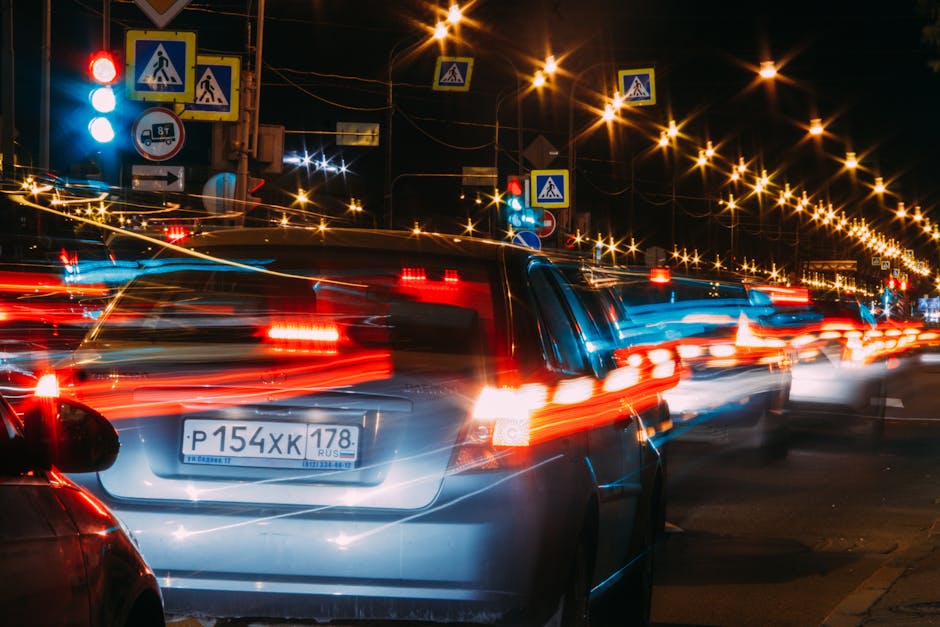
- Check the field of view. Can you exclude neighbouring windows, private balconies, workstations, seating areas or unrelated parts of a pavement?
- Use privacy masking where appropriate. A fixed mask can block an area that should not be recorded, but confirm that it does not also hide relevant activity.
- Review camera angles. A narrower view aimed at an access point may be more useful than a wide shot of an entire lobby.
- Consider the setting. A camera near a gym, changing area or other sensitive space calls for particular care and may be inappropriate depending on its purpose and view.
- Recheck after changes. Refurbishments, new furniture, altered entrances or shifted cameras can change what is captured.
Data minimisation does not mean recording nothing useful. It means collecting footage proportionate to a defined security purpose, rather than installing cameras “just in case”. Document the reason for each camera and revisit it when circumstances change.
Make CCTV ownership and decision-making clear
In a mixed-use building, CCTV decisions can involve the owners’ association or HOA, property manager, facilities team, security contractor, commercial occupiers and, sometimes, a landlord. If everyone assumes someone else is responsible, access and disclosure decisions can become inconsistent.
Set out who is responsible for the system and who has authority to approve an export. The exact legal roles depend on the arrangement, so confirm them with appropriate privacy or legal advisers. Operationally, the building should still be able to answer the following questions quickly:
- Who approves the purpose, placement and material changes to a camera?
- Who can view live or recorded footage, and for what work-related reasons?
- Who reviews a request for footage and records the decision?
- Who is responsible for redaction and quality checks?
- Who manages the system provider and confirms deletion?
Limit routine viewing to authorised people with a defined role. Watching cameras out of curiosity is not a legitimate operational practice. Keep a viewing and disclosure log recording the date, requester, purpose, relevant camera and time period, decision, people who accessed the material, and what was ultimately shared.
A practical review workflow for identifiers
When an authorised request or incident review requires a clip, start by selecting the narrowest relevant camera and time window. Avoid exporting a full day or multiple cameras when a short sequence will answer the question. Keep an unaltered original securely, if your procedures and legal obligations require it, and create a separate working copy for redaction.
- Confirm the purpose and authority. Record why the clip is needed, who has approved the work and whether any disclosure restrictions apply.
- Reduce the scope. Select only the necessary time period, camera angle and portion of the scene.
- Run automated redaction. Use face or plate detection as a first pass, not as proof that all identifying information has been removed.
- Review the complete clip. Watch it from start to finish, including transitions, reflections, pauses and moments when people turn or move out of view.
- Apply manual editing where needed. Track and obscure logos, tattoos, badges, uniforms, distinctive clothing and other identifiers that automation missed.
- Check the edited export. Review the rendered file itself, not just the editing timeline or preview screen.
- Log the result and manage deletion. Record what was shared, with whom, where it is stored and when working copies are due to be deleted.
Depending on the case, blurring may not be enough. Cropping, masking, muting audio or withholding a section could be more appropriate. Avoid editing in a way that changes the meaning of the incident. If the footage may be evidence, preserve the original and document the redaction steps. Ask a suitably qualified adviser if the disclosure is complex or disputed.
Use a small identifier checklist
Reviewers are more consistent when they use a written checklist rather than relying on memory. Alongside faces and vehicle plates, check for:
- tattoos, scars and other distinctive physical features;
- logos, team shirts, uniforms, name badges and branded workwear;
- bags, delivery boxes, tools or other recognisable belongings;
- vehicle markings, registration plates and reflections in glass or polished surfaces;
- screens, paperwork, parcel labels or signs visible in the background;
- audio that could reveal a name, address or other personal detail; and
- contextual clues, such as a unique location or a recognisable sequence of events.
This is what “review for identifiers” means in practice: look beyond the person’s face and consider what a viewer could combine with their own knowledge. If the clip cannot be shared safely after reasonable editing, consider whether a narrower extract, still image or written account can meet the purpose instead.
Control exports, access and retention
Redaction is only one stage in the footage lifecycle. An edited clip can still create risk if it is emailed to a broad distribution list, left in a shared folder or stored indefinitely on a contractor’s laptop.
Before any export, decide where it will be stored and who can open it. Use an approved, access-controlled location. Share only with named, authorised recipients through an appropriate secure method. Do not circulate raw clips casually by email, messaging app or an open shared-folder link. If a supplier handles footage, document the permitted purpose, access controls, security expectations and deletion arrangements.
Set retention periods for routine recordings and for exported incident clips. Routine footage should be kept only as long as needed for its stated purpose. A clip preserved for an active complaint, insurance matter or legal process may need a separate, documented hold; that does not justify keeping every other recording. Put a deletion date or review date on each working export, and assign someone warrant for security camera footage to check that it is actually removed from the approved location and any authorised copies.
Footage type Operational control Review point Routine CCTV recording Restrict access and apply the building’s documented retention schedule. Confirm the schedule still matches the camera’s purpose and system settings. Working redaction copy Store separately from the original with access limited to the review team. Set a deletion date when the editing task is opened. Disclosed clip Record the recipient, purpose, method of transfer and scope of the disclosure. Check whether the recipient has its own retention or onward-sharing limits. Clip under a formal hold Keep it in a controlled location with the reason and approving person recorded. Review the hold periodically and remove it when no longer required.What about prices?
If you are comparing redaction products and the source article or scraped listing gives no prices, do not fill the gap with guesses. State plainly that prices were not listed in the source. Costs can depend on subscription tiers, clip length, processing volume, user seats, storage, support and whether the tool is bought directly or through a supplier.
Ask vendors for a written quote based on a realistic test: the type of footage you have, the number of cameras or clips, the identifiers you need to obscure, export requirements and the expected number of reviewers. Check whether manual editing is included, whether output files carry watermarks, how data is stored, who can access it, and how project files are deleted. Test with representative footage before committing; a low headline price is not useful if staff still have to rebuild the workflow around missed identifiers.
A simple standard for responsible disclosure
Before releasing a clip, the reviewer should be able to explain why it is needed, why this much footage is included, what identifiers were checked, what was redacted, who approved the export and where the file went. If those answers are missing, pause https://smoothdecorator.com/do-common-area-cameras-record-access-patterns-and-why-does-that-matter/ and resolve the gaps before sharing.
Automated tools can save time, but they do not replace judgement. In building operations, good CCTV practice begins with a defined purpose and a controlled field of view. It continues with clear ownership, restricted access, careful redaction and routine deletion. Faces matter; so do tattoos, logos and the small details that can turn an apparently anonymous person into someone identifiable.
Share this article
Facebook share | X (Twitter) share
